Junk
Gambling, suspicious links and scam patterns. No notification.
Free 500 TL welcome bonus! Sign up now, no wagering.
A 2,500 TL bonus is waiting in your account, withdraw now.
 NoNudge Download
 NoNudge moves gambling spam, junk and promotional texts from unknown numbers into the right folder in Messages. Your codes and bank alerts don't get lost.
Free. For iPhone, iOS 16 and later. Trained mainly on Turkish texts.
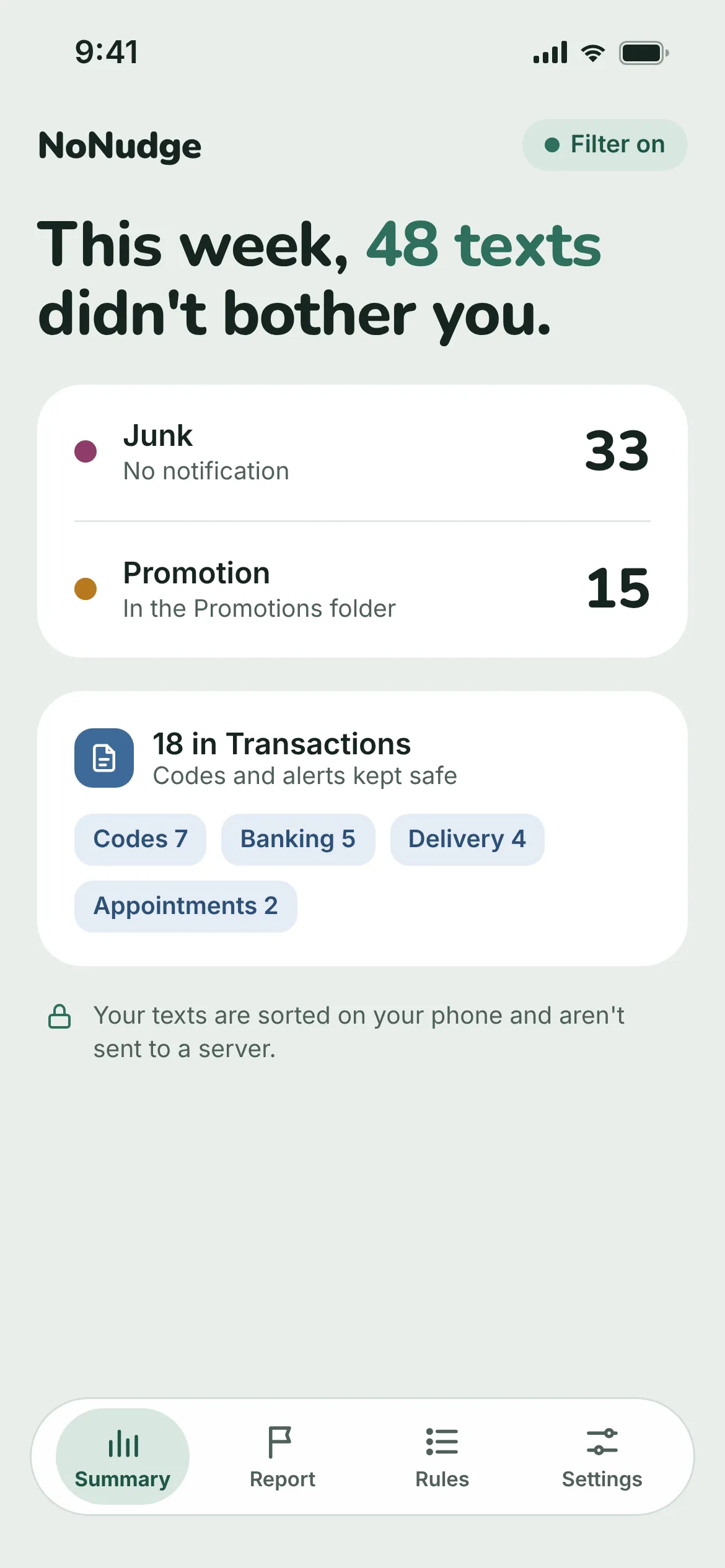
When a text arrives from an unknown number, NoNudge reads it on your phone and puts it in the right place under Filters in Messages.
Gambling, suspicious links and scam patterns. No notification.
Free 500 TL welcome bonus! Sign up now, no wagering.
A 2,500 TL bonus is waiting in your account, withdraw now.
Sales, coupons and store news. You can send these to Junk too.
Weekend only: 30% off everything! Code: WEEKEND30
New season: 50% off your 2nd item.
Verification codes, banking, deliveries and appointments. Notifications as usual.
Your verification code is 482913. Do not share it.
Your order has shipped. Tracking no: 7Y2940183.
Texts from your contacts and iMessage are never touched. Everything else stays in your inbox.
An AI model running on your iPhone does the sorting. Your texts don't go to a server. Only if you choose to share, texts you correct are sent with their numbers masked to improve the model.
Apple doesn't let SMS filters connect to the internet. Your text is checked on your phone.
No sign-up, no login, no phone number. Download, turn on the filter, done.
No advertising identifier is collected. You can turn off usage statistics and crash reports in Settings.
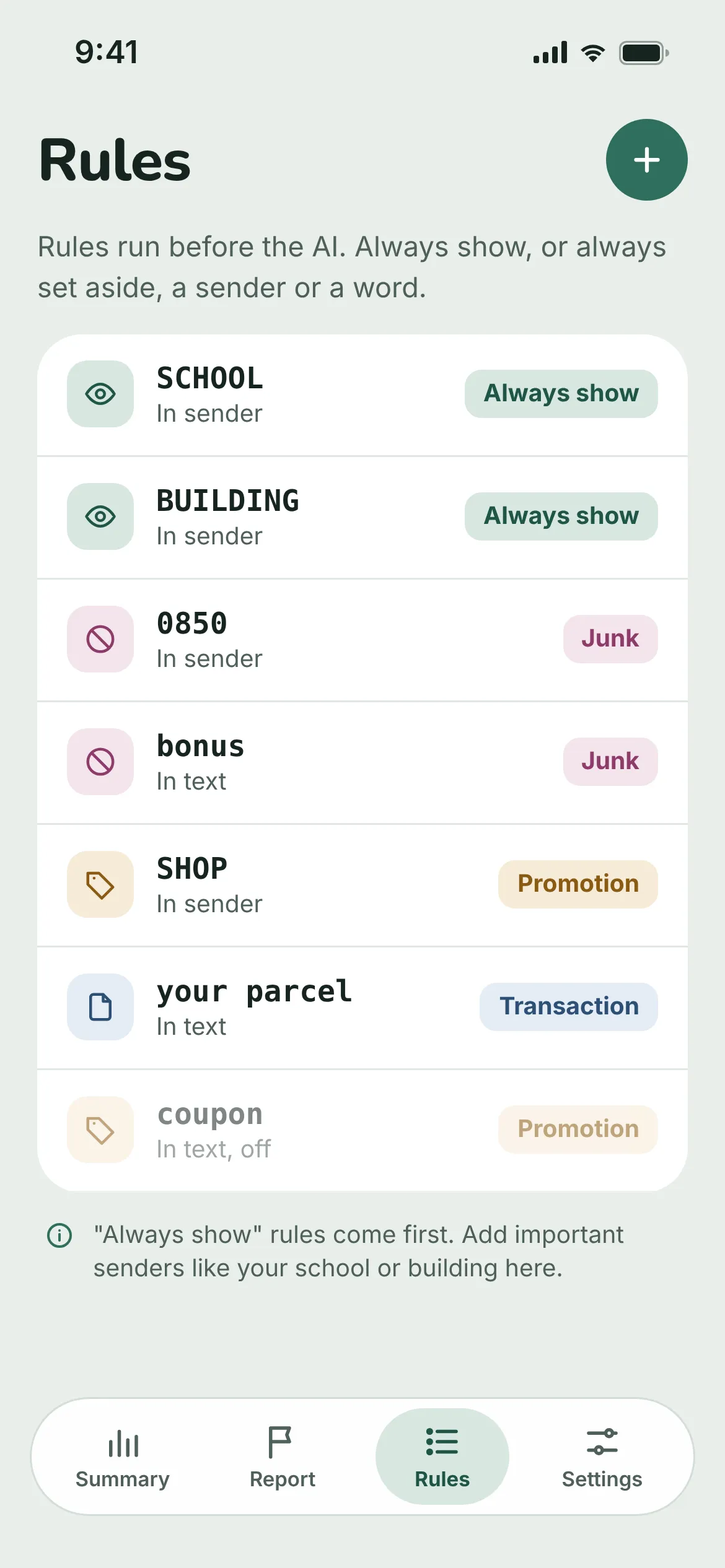
Keep texts from your school, building management or courier in your inbox. Always set aside a word or a sender. Your rules run before the AI.
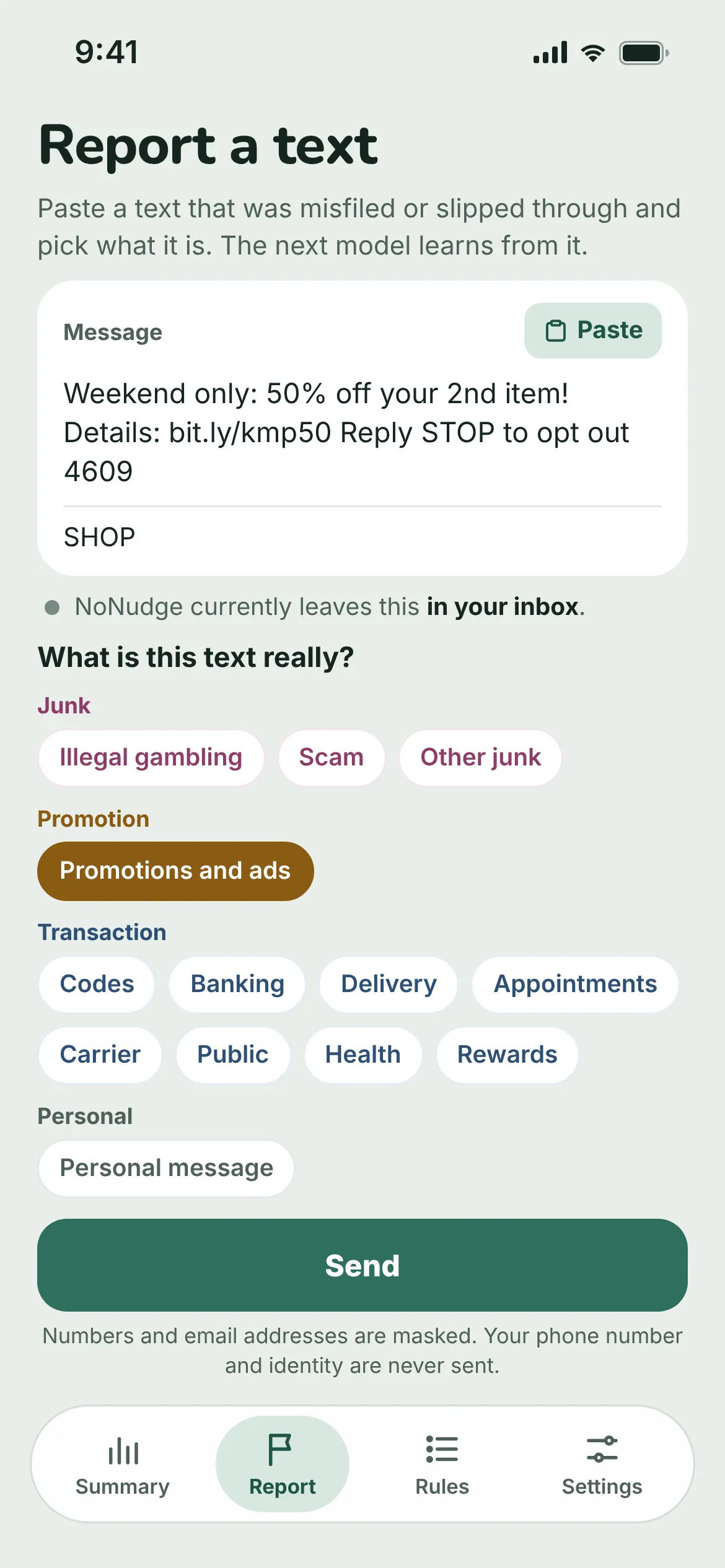
If spam lands in your inbox or an important text goes to the wrong folder, paste it into NoNudge's Report tab and pick what it is. The next model learns from it.
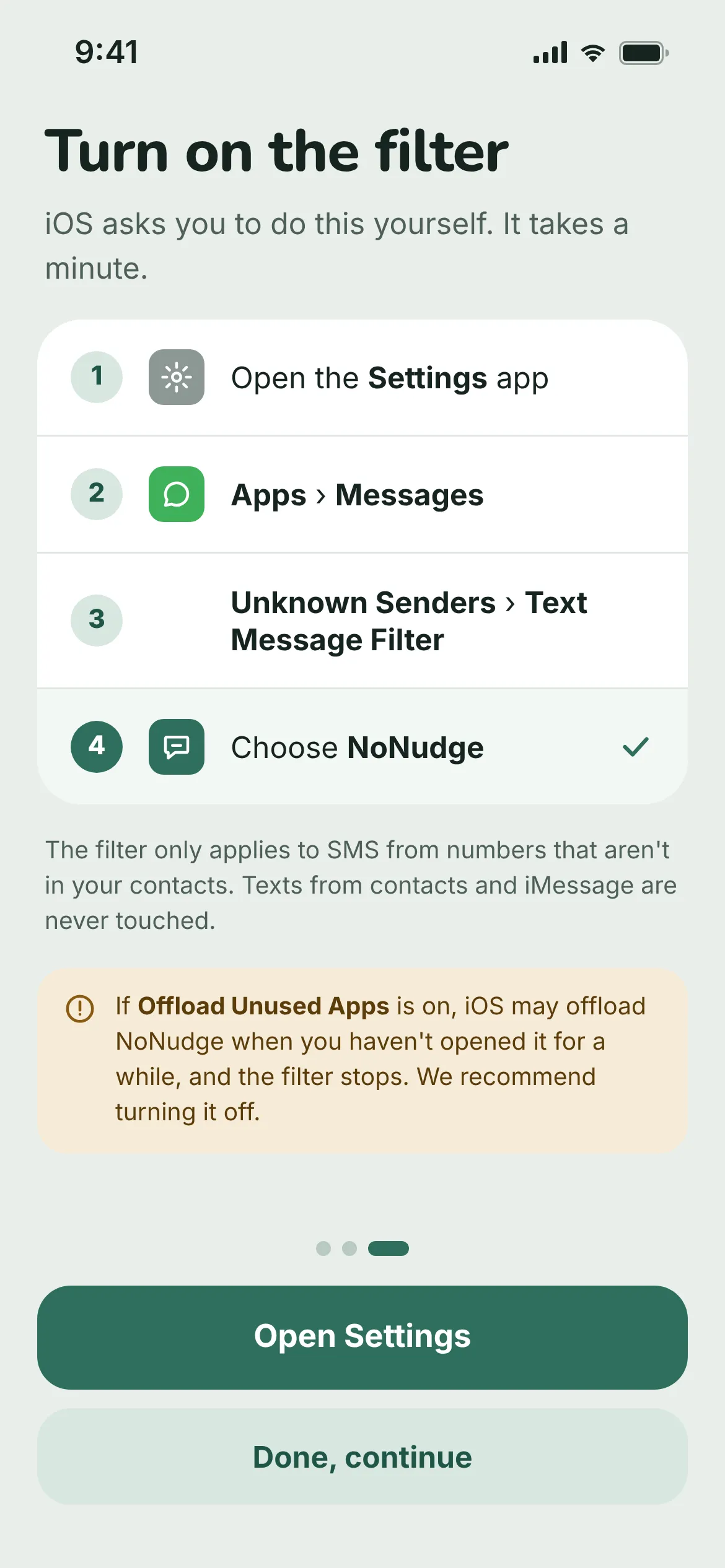
iOS asks you to turn on the SMS filter yourself. You only do it once.
iOS 26 and earlier: Messages › Unknown & Spam › SMS Filtering › NoNudge.
No. iOS only gives filters the texts from senders who aren't in your contacts. iMessage isn't filtered either.
In Messages, the Filters menu at the top left has Junk, Promotions and Transactions folders.
Copy the text, paste it into NoNudge's Report tab and pick its type. The examples you send are used to train the next model.
If Settings › Apps › App Store › Offload Unused Apps is on, iOS may remove NoNudge when you haven't opened it in a while. Turn that setting off, or keep the weekly summary notification on.
No. NoNudge is free, with no in-app purchases or ads.